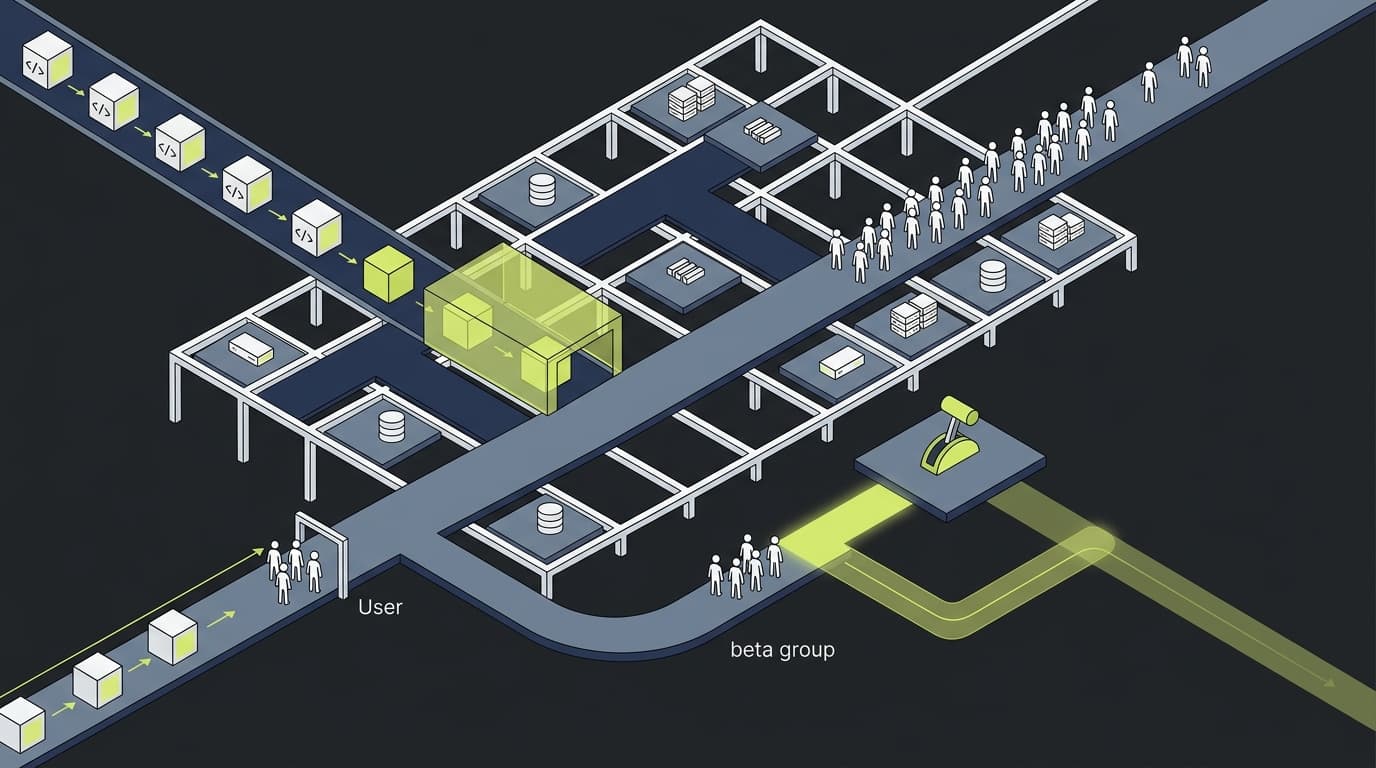
Imagine deploying a critical feature and catching a bug when only 1% of users are affected, instead of after 100% of your user base experiences the problem. That's the power of canary releases.
What is a Canary Release?
The term comes from the "canary in a coal mine" - miners would bring canaries underground because they'd be affected by toxic gases before humans, providing an early warning system.
In software, a canary release means deploying changes to a small subset of users first, monitoring for problems, and only proceeding if everything looks good.
The Anatomy of a Canary Release
A well-executed canary release follows these stages:
Stage 1: Deploy to Production
Code reaches production servers but isn't visible to users yet. This is your "dark launch."
Stage 2: Internal Testing
Enable the feature for your team and test in the real production environment with real data.
Stage 3: Canary Group (1-5%)
Release to a small percentage of users - enough to generate meaningful metrics but small enough to limit blast radius.
Stage 4: Monitor Intensively
Watch key metrics closely:
- Error rates
- Performance metrics
- User behavior patterns
- Support ticket volume
Stage 5: Expand or Rollback
If metrics look good, expand to 10%, then 25%, then 50%, then 100%. If problems appear, rollback instantly.
Implementing Canary Releases
Here's a basic implementation:
// Canary release with percentage rollout
const isFeatureEnabled = async (userId: string) => {
  const flag = await flagpool.getFlag('new-checkout-flow')

  if (flag.rolloutPercentage === 0) return false

  // Consistent hashing ensures same user always gets same experience
  const userHash = hashUserId(userId)
  return userHash % 100 < flag.rolloutPercentage
}
Monitoring is Everything
Without proper monitoring, canary releases are just slow rollouts. You need:
- Automated alerts for error rate spikes
- Real-time dashboards comparing canary vs control groups
- Automated rollback when thresholds are breached
- Business metric tracking beyond just technical metrics
When Canaries Saved the Day
Real example: An e-commerce company deployed a checkout optimization that looked perfect in testing. At 2% rollout, they noticed conversion rates dropping by 5%. Investigation revealed the new flow was confusing on mobile devices.
Without canary releases, they would have lost millions in revenue. With canaries, they caught and fixed the issue when only 2% of users were affected.
Best Practices
- Start small: 1% is often enough to catch major issues
- Monitor everything: Technical and business metrics
- Automate decisions: Use automated rollback rules
- Document incidents: Learn from each canary that catches problems
- Celebrate saves: When canaries catch issues, that's a win
Canary releases transform high-risk deployments into low-risk experiments. They're not just a safety net - they're a competitive advantage.